


Projects with stages
Five stages from development to delivery, each with its team, dates, budget and documents.
CrewDesk is a working application we built for a production company, shown here with sample data. Open it with the demo account, follow a project from first call to delivery, assign tasks, book crew and talk to the team, all in one place.
demo@crewdesk.appcrewdesk-demoOpens in a new tab. The demo data is rebuilt every day. Shared with other visitors: do not enter anything private.
The real screens
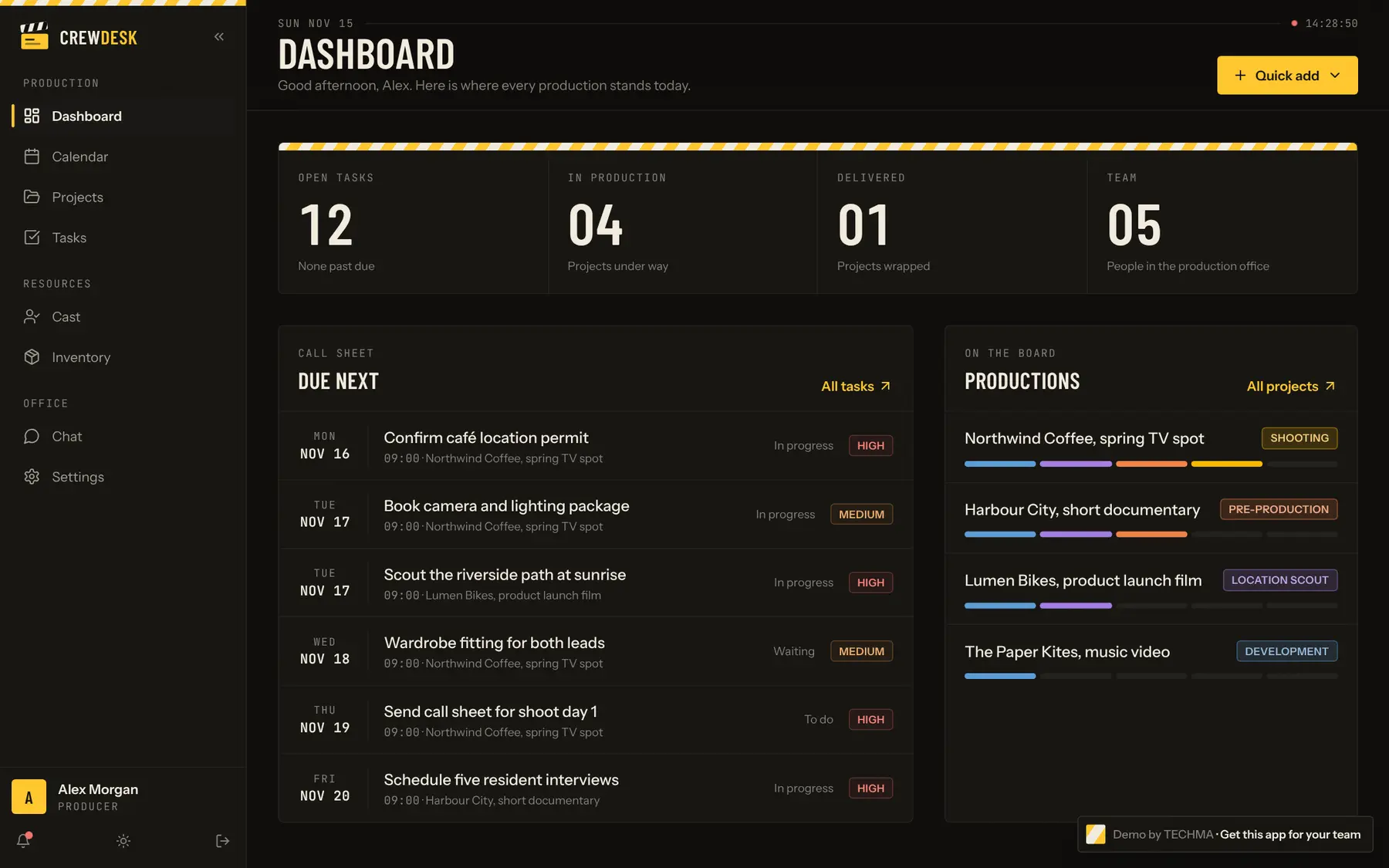
These are screens of the running demo, with its sample data, not drawings. Pick one, then open the app and use it.
What to try
See what is due today, which projects are moving and what is waiting on you.
Open a production and find its crew, cast, documents, notes and budget on one page.
Create a task, assign it, tick its checklist and watch it cross the board.
Find a cast member by availability and sizes, then check the stock of equipment, wardrobe and props.
Post in a project channel or send a direct message, with files attached.
What is inside
Five stages from development to delivery, each with its team, dates, budget and documents.
Priorities, due dates, checklists, comments and reusable task lists.
Crew per project, and cast profiles with sizes and availability.
A stock of equipment, wardrobe and props, with sizes, quantities and prices.
Project channels, direct messages and alerts when work is assigned.
Four roles, from producer to crew, and the producer sets what each one can see and change.
Like what you see?
The same three choices for every app on this page. A free 30-minute call is enough to know which one fits.
The whole application is yours: the code, the database and the right to change it.
The same base, rebuilt around your business: your brand, your process, your tools.
We build it, host it, watch it and keep improving it. Your team just uses it.
It is a real application running on a server. What you do in it is saved like in production, and the sample data is rebuilt every day so the next visitor starts clean.
Yes. The stages, fields and words are set for production teams in this demo, and we change them for your trade: construction, events, agencies, field services or any team that runs projects with crews and equipment.
The demo is shared with other visitors, so do not enter anything private. On a call we can set up a private copy with your own projects.
The full code of the application, the database structure and the steps to put it online on your own accounts. You own it, with no per-user licence.
Yes. We connect it to your calendar, your accounting, your CRM or your file storage, and we can add an AI assistant that answers from your project data.
Bring what you tried to a free 30-minute call. We tell you what it would take to make it yours, and what it would cost.
What would you fix first?
On the call we walk through your sales process and find where leads and follow-ups get lost.
Ask TECHMA
Answers from our siteAsk in your own words. I answer from this site, tell you honestly when it is not something we do, and can book your free call right here.